UPDATER SignUp

FREE email newsletter:
 news, tips, updates. 

ASK US

If you have any question, about any of our services or products, please let us know.

We respond to all inquiries promptly.


Minimum System Requirements:
Windows 95, 98, NT 4.0, or 2000 
Netscape 4.08 or later, Internet Explorer 4.01 or later 
28.8 kbps or faster Internet connection 
133+ MHz, 32+ MB memory
16 bit or higher display resolution 
16 bit sound card, speakers or headset 
Java Virtual Machine version 4.79.2435 or later 
Note: If you are running Windows 2000, you must install Service Pack 1 before updating the JVM.

ON-LINE INTENSIVE OPTION SEMINARS  
Attendance Instructions

 Seminar Attendance Instructions

1. Attend The Event

A. Log In To Our Seminar Site
We recommend that you access our seminar program at least one day prior to the event to ensure you have a proper Internet connection and that we can download the program files necessary to display the online seminar. See our minimum system requirements listed to the left. We further recommend that you attend the seminar at least 20 minutes before the scheduled event to ensure a proper connection.

When you are ready to attend the event, log in to the event page at http://seminars.optionstrategist.com with your account name and password. 

B. Select the Event
Click on the "View My Schedule" to see the seminar(s) you signed up for. 

C. Attend the Event
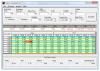
Click on the "Attend" button. Over the next few minutes, one or more pop-up windows will will appear and the seminar program will load. See the screen image below.

Pricing Information
Enrollment closed one hour before start time.
Market Commentary
Free
Wed, Apr. 16

Single Seminar
$69 each

Three Seminar Package
$149, save $58
McMillan's Favorite Systems - Disclosed
$500

The value of these systems is easily worth the price of this seminar.
Click here for more information
Seminars on CD
Click here for more information


2. Seminar Features and Explanations

During the opening moments of the seminar, the seminar format and instructions will be reviewed verbally. The icons and features on the seminar pop-up window will be explained.

a.
Voice Feature: Make sure this box is checked to hear the audio portion of the seminar.

b.
Edit Name:
Click this box if you want to change the name that we will see you attending under.  Please do not use "nicknames" or "handles". It is important that your name closely match the name you originally signed up under.

c.
Raise Hand:
Use this button when the presenter asks the attendants to raise their hands in response to a question.

d.
Yes / No Buttons:
Use these buttons when the presenter asks a yes / no type question to all attendants.

e.
Enable Chat:
Use this button to bring up the chat window. The chat window is used to ask a question of the presenter only.

Chat Window

This is the chat window that will be displayed.  Enter your question into the blank, white field and click "send".  The question will be received by the presenter only. None of the other attendants will see your question. The presenter will then choose to respond to you individually or to the entire class.

Click on the "X" in the upper right of this window to close the window. 

f.
Logout:
Click on this button to end your seminar session.

Past Performance Is Not A Guarantee Of Future Results.

Order | Free ResourcesTrader's Products | Site Map
Trader's Hotline | Contact Us | Advertising | Support | LinksAbout Us

© 1997 - 2002, McMillan Analysis Corporation
Disclosure Document  Privacy Statement

site by SPIDERtel, Inc.